
Screenshots
About DS Speedometer & Odometer
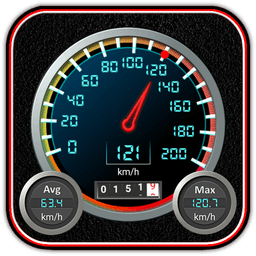
DS Speedometer & Odometer is an accurate, high-performance speedometer and odometer built for modern Android devices, combining digital and analog-style displays with authentic vintage drum odometer styling.
Whether you're behind the wheel of a car, truck, or on a bicycle, this app replaces or augments your vehicle's built-in speedometer with precision tracking. Use it to verify your car's speedometer accuracy during steady driving, monitor your real-time speed, and maintain safe driving habits to avoid speeding tickets and keep your auto insurance rates competitive.
Track every mile with dual odometers—one for individual trips and one for total lifetime distance. Beyond basic speed measurement, the app calculates your average speed, records maximum speed reached, and includes a built-in compass and clock for complete journey awareness. The drum odometer replicates the mechanical rolling numbers from classic vehicles, offering both nostalgic charm and practical functionality.
Speed safety is built in. Activate speed alerts to receive warnings when you exceed your chosen limit, helping you drive defensively and maintain lower insurance premiums. The app supports both metric and American speedometer formats, so you can choose the display standard that matches your preferences and location.
For cyclists, DS Speedometer & Odometer delivers the cycling speedometer and distance tracking your bike computer might lack—simply mount your phone securely to your handlebars. The background odometer keeps logging distance even when the app runs in the background, so your trip data stays complete whether you're actively watching the display or not.
Night HUD (heads-up display) mode transforms the app into a safe, distraction-free interface for low-light driving, while the integrated route recorder and trip logger map your journeys and generate statistics. Perfect for business travel planning, vacation route tracking, and analyzing driving patterns over time.
DS Speedometer & Odometer delivers reliable speed and distance tracking in one sleek, feature-rich package designed for drivers and cyclists who demand accuracy and safety.
Pros & Cons
Pros
- Dual odometers track both individual trips and lifetime distance
- Speed alerts help you stay within limits and avoid tickets
- Background tracking logs distance even when app is minimized
- Night HUD mode provides distraction-free interface for low-light driving
Cons
- Requires GPS location access for speed and distance accuracy
- Continuous background tracking will drain battery over long drives
- No mention of offline functionality or data export options
- Trip logging and route recording may consume significant storage space
Frequently asked questions about DS Speedometer & Odometer
Is DS Speedometer & Odometer safe to download?
The DS Speedometer & Odometer file on Unstore was scanned for malware on May 20, 2026. The scan found no threats and gave it a risk score of 20/100 (lower is safer).
What are the system requirements for DS Speedometer & Odometer?
DS Speedometer & Odometer runs on Android. It requires Android 6.0 (Marshmallow) or later. The download size is 10.8 MB.
What is the latest version of DS Speedometer & Odometer?
The latest version of DS Speedometer & Odometer on Unstore is 7.07. It was last updated on May 22, 2026.
Who develops DS Speedometer & Odometer?
DS Speedometer & Odometer is developed by DS Software.
Related Apps

HWiNFO
Hardware monitoring for Windows—track CPU temp, GPU load, fan speed, voltage in real time.

TransMac
Read Mac drives and DMG files on Windows. Access APFS/HFS+ storage and create disk images.

Advanced SystemCare Free
System optimization tool: clean, repair, and secure your PC. Remove malware, fix errors, and boost performance.

Display Driver Uninstaller (DDU)
Driver uninstaller for GPU and audio — removes residual files for clean Windows updates

Glary Utilities
PC maintenance and optimization suite — clean, repair, and speed up your Windows computer in one action.

Universal ADB Drivers
ADB drivers for Android: Connect any smartphone to Windows PC without manufacturer software.
Latest Articles

Play a free Poly Bridge-style bridge builder in your browser (no download)
Nov 14, 2026

Play a free Balatro-style poker roguelike in your browser (no download)
Nov 14, 2026

GarageBand for Android or Chromebook? A free music studio in your browser
Nov 14, 2026

FlipaClip for PC or Chromebook? We built a free animation maker that runs in your browser
Nov 14, 2026

Play a free Color Ball Sort Puzzle-style game in your browser (no download)
Oct 6, 2026